Creatio
No Code for Finserv
No-Code is the key to building apps and workflows that exceed customer demands, align sales strategies and differentiate marketing. Technology Advisors can help you capitalize on No-Code automation using today’s market leading No-Code platform, Creatio.
Learn more about No Code for Finserv
Creatio
This award winning CRM system and no code application automation helps businesses manage processes across the entire customer journey on a single low code platform. We help businesses understand their CRM requirements and processes to effectively onboard Creatio, which includes a process for guaranteed user adoption.
Learn more about Creatio
Creatio Migration
TAI is a strategic migrator who can prepare your records, import your custom fields, and move the appropriate data into your Creatio instance.
Learn more about Creatio Migration
Creatio Integration
Simply put, Technology Advisors, Inc. (TAI) is an expert integrator. We’ve been helping customers connect solutions like Creatio for more than a decade. Whatever your integration requirements, TAI has the tools and skillsets to deliver results.
Learn more about Creatio Integration
Creatio Enterprise Implementation
Technology Advisors delivers complete Creatio implementations so bustling enterprises like yours won’t miss a step.
Learn more about Creatio Enterprise Implementation
Creatio Advanced Implementation
Technology Advisors’ Advanced implementation process enables your custom fields, kickstarts your integrations, and sets up all your core functions to ensure your success with Creatio and maximize your ROI sooner.
Learn more about Creatio Advanced Implementation
Creatio Basic Implementation
Creatio onboarding doesn’t have to be a painful process. Basic onboarding is a great fit for businesses that need simple implementations with professional results.
Learn more about Creatio Basic Implementation
Creatio Implementation
No two businesses are alike. Each has its own processes, budgets, and long-term goals. Our Creatio implementation packages provide options to fit your business.
Learn more about Creatio Implementation
Creatio Support
Your Creatio instance must be as dynamic and reliable as your skilled team. Creatio support with Technology Advisors is flexible to fit every size team, every budget, and every business.
Learn more about Creatio Support
Creatio Training
Ready to get started with Creatio? Technology Advisors offers comprehensive training opportunities for your entire staff.
Learn more about Creatio Training
Creatio Hubspot Essentials
StarfishETL is releasing the first in a series of pre-built integrations, StarfishETL Essentials, for Creatio & HubSpot. Essentials are pre-built integrations that can be deployed quickly, be customized to fit your exact needs and are free with the StarfishETL Professional Edition subscription.
Continue reading
How to Remove the Feed Tab in Creatio
In most cases, the feed tab in Creatio can be modified or removed from the layout by using the appropriate toolbar items in the tab area.
Continue reading
The Basics of Building Processes in Creatio
A major strength of Creatio is its process-oriented approach that creates repeatable steps that improve efficiencies, streamline operations, and foster visibility across departments. During this online user group, our experts lay out the basics of process building to help any user get up and…
Continue reading
Using Creatio Section Wizard to Create Fields and Configure Layouts
During this online user group, our experts show you how to use Creatio's Section Wizard to create new sections and modify existing sections in your instance
Continue reading
Triggering an Email Notifications for an Event in Creatio
Sometimes, when a certain action happens in Creatio, you want one or more recipients to be notified of the action via email. You can easily build a process to make this happen. Building a process requires system administrator rights.
Continue reading
Power Shutoffs & Parasites
Reasons for our absence—long vacations, Public Service Power Shutoffs and parasites. bpm’online becomes Creatio. More Salesforce acquisition rumors. Dreamforce ’19 report. Video outreach. Observations on Gartner Magic Quadrants. CRM industry maturity and commoditization. Accelerated release cycles…
Listen Now
Leading Low-Code, Process Automation and CRM Company Renames from bpm’online to Creatio
Bpm'online, a leading low-code, process automation and CRM company, announced that it is changing its corporate and product names to Creatio and its official website to creatio.com. The new name reflects the company’s strong belief that everyone will become a developer, able to automate…
Continue readingWorking with Duplicate Rules in Creatio
In this online user group discussion, our experts show us how to find and merge duplicates in Creatio.
Continue reading
How to Use the Creatio Gauge Widget to Track Progress Towards a Goal
You can set up a gauge widget in Creatio to track progress towards a goal in the Dashboards section, on the Dashboards within any other section, or on a record page. In this example, we will set up a widget on a new Dashboard tab in the Dashboards section.
Continue reading
Using Business Rules with Fields in Creatio (formerly bpm'online)
In this online user group, our Creatio experts show you how to configure business rules for fields, how to require those fields, hide unwanted fields, etc.
Continue reading
How to Display Top N Rows in Creatio Using Detail Area
Creatio has a quick and easy way to build a detail area (a.k.a. one-to-many relationship). You've probably already tried using the detail wizard and Creatio auto-magically generated the functionality for you behind the scenes. So easy! Let's take that one step further.
Continue reading
Using Filters and Dashboards in Creatio
This online user group discusses basic and advanced filtering, the creation and sharing of folders, and how to create and share dashboards.
Continue reading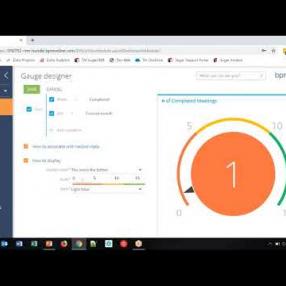
Creating & Sharing Folders in Creatio (formerly bpm'online)
In this clip, we learn how to create and share folders in Creatio.
Continue reading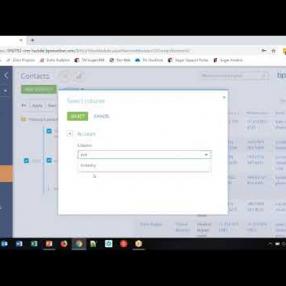
Basic & Advanced Filtering in Creatio
In this user group clip, our expert shares how to do basic and advanced filtering in Creatio.
Continue reading
New Releases - Creatio (formerly bpm'online) July 2019
Our Creatio expert runs through new releases of the product (up to July 10, 2019) in this online user group clip.
Continue reading