How To
How to Scan Business Cards with the Creatio App
While electronic business cards are slowly replacing paper ones, plenty of people are still using traditional business cards. Did you know that with a little setup you can scan business cards in the Creatio mobile app?
Continue reading
Importing Users to Creatio & Solving an Interesting Password Issue
If you’re launching a new Creatio instance, you will most likely need to set up or load a fairly large list of users. Since most of the basic data of a user is usually available in some sort of spreadsheet, it makes sense to export the list from one of your existing systems and then bulk import…
Continue reading
Printable Forms in Creatio: Online User Group
In this online user group, our experts explain printable forms in all their glory! What applications do they have in Creatio? How do you set them up? What kinds of add-ons are available to enhance their uses? Check out the recording to find out the answers...
Continue reading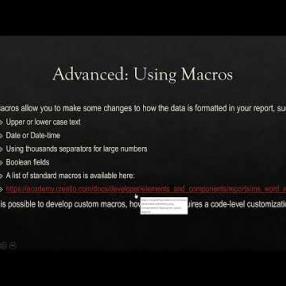
How to Use CRM Automation to Free up More Time
A CRM system is great for organizing information and facilitating quick data analysis; but its automation capabilities also can help free up more time in your workday. Check out these seven tips for using CRM automation to free up more time.
Continue reading
Creatio Business Rules: Dependently Required Fields
In this Creatio user group segment, Megan explains how to use the business rule for dependently required fields in Creatio. These business rules allow the user to define a logic to make fields required only when necessary. Megan demos an example.
Continue reading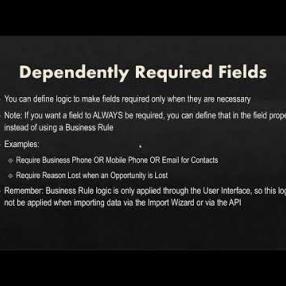
Creatio Business Rules: Filtered Lookup
In this user group segment, our Creatio experts describe and demo how to use filtered lookups as a business rule in Creatio.
Continue reading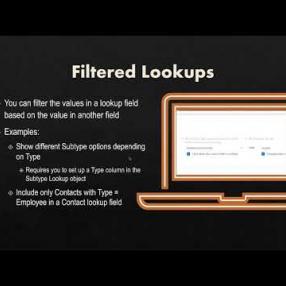
Creatio Business Rules: Dependently Read Only Fields
In this user group segment, our Creatio expert highlights how and when to use dependently read only fields in Creatio. These business rules allow you to define logic and lock fields for editing in specific situations.
Continue reading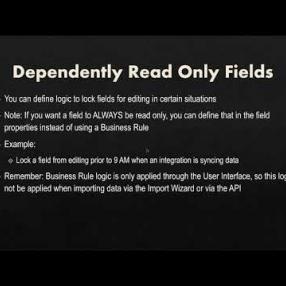
Creatio Business Rules: Calculations
In this clip from our recent Creatio user group, our experts discuss and demo how to use Creatio Business Rules to set up basic calculations that will update when a business rule is met.
Continue reading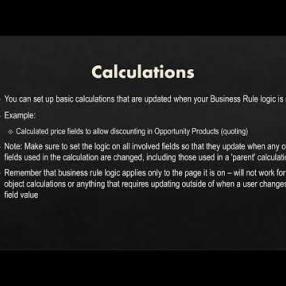
Creatio Business Rules: Showing & Hiding Elements
In this clip from our recent online user group, we show you how to set up business rules in Creatio to show and hide elements. Our Creatio experts also offers her tips for when to use this feature, and when to consider using multiple pages instead.
Continue reading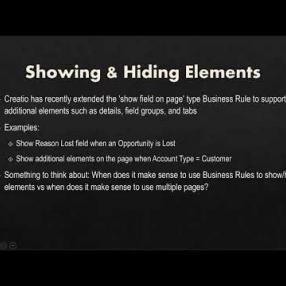
Creatio Business Rules: Online User Group
In this full recording, our experts take users through the five different scenarios for using Business Rules in Creatio. We covered Creatio Business Rules a few years back in one of our older Creatio User Groups, however, since then, Creatio has added new features and functions to these…
Continue reading
Studio Creatio: Online User Group
During this online user group discussion, our experts build a warranty process in Creatio's low code automation tool, Studio.
Continue reading
Building a Low Code Process in Creatio
After a brief discussion on the benefits of low code applications, we will build an expense tracking & approval section in Creatio. You will see how quickly (and without coding) you can add a new section, create fields, use business rules, and create processes.
How to Fix "internal server error" When Emailing From SugarCRM
However, in the past year, I've noticed an internal server error will sometimes occur when setting up a new user. After some investigation, I found some Office 365 Admin settings necessary that fixed it. In this post, I'll detail what Admins should be looking for and the steps they must…
Continue reading
How to Install Sugar Connect on Office 365
Sugar Connect is SugarCRM’s Outlook 365 email integration product. Connecting Outlook to Sugar provides multiple benefits for the user, allowing them to access CRM information from their email sidebar, sync and access shared calendars, and much more.
Continue reading
Triggering an Email Notifications for an Event in Creatio
Sometimes, when a certain action happens in Creatio, you want one or more recipients to be notified of the action via email. You can easily build a process to make this happen. Building a process requires system administrator rights.
Continue reading